| T O P I C R E V I E W |
| radioactiveYeti |
Posted - 06/19/2026 : 13:56:15
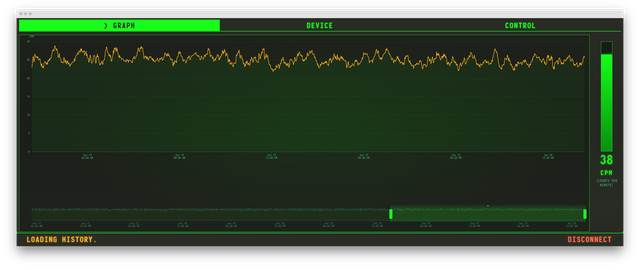
Hi! I discovered that, from a recent Chrome or Chromium browser, you can control your GQ GMC-800 dosimeter, sending commands and retrieving data, without installing any drivers or programs on your computer.
This is very much alpha/raw, but I'd love it if someone could test it with their device.
I only have GMC-800 with stock firmware so that's what I could test with.
Link: https://anatoly-scherbakov.github.io/webgmc/
It runs in your browser and does not upload the data anywhere. Screenshot:
Thanks! |
| 2 L A T E S T R E P L I E S (Newest First) |
| radioactiveYeti |
Posted - 06/26/2026 : 07:29:12
Farbyz,
Thanks a lot for testing! I do not have a Mac computer to test the tool on it, unfortunately :/ I had tested on several computers running Ubuntu Linux and Windows 11.
Nothing has to be configured on the device itself, should work out of the box.
0) When you connect GQ GMC-800 to your Mac and open System Information -> USB - can you see a new device being recognized by your machine?
If not, then you might wish to try another USB cable and/or make sure that you are connecting the device to your computer directly, not through a USB Hub.
1) Which browser are you using? I tested Chromium, Google Chrome, and Microsoft Edge. Please try one of those, I think Safari or Firefox might be problematic. WebSerial, which is the technology behind this tool, is quite new and not all browsers fully support it at this moment.
2) Have other programs, such as pygmc or GeigerLog, worked on your Mac if you tried them?
Thanks for the feedback, let me know what you find if you have a moment to try it out again! |
| Fabryz |
Posted - 06/26/2026 : 06:41:13
That's cool!
I tried it, but unfortunately I cannot get past the browser's modal: it asks me to select an USB device, but non appears.
I also have a GMC 800, I connected it to my mac via its usb cable, but nothing happens
Do I have to enable anything on the device settings? |
|
|